
1 reply
Sign in or join Beachball Help to reply.
- 0
SravanKrA ·
Imported from the Apple Support Forums via the Wayback Machine 🔗
Report a problem
On your iPhone, iPad, iPod touch, Mac or PC: Tap or click Report a Problem below the item's details. A browser window opens to the Report a Problem website.
On the Report a Problem website: Tap or click Report a Problem to the right of the item.
If you don't see an option to Report a Problem, then the item isn't eligible for a refund request.
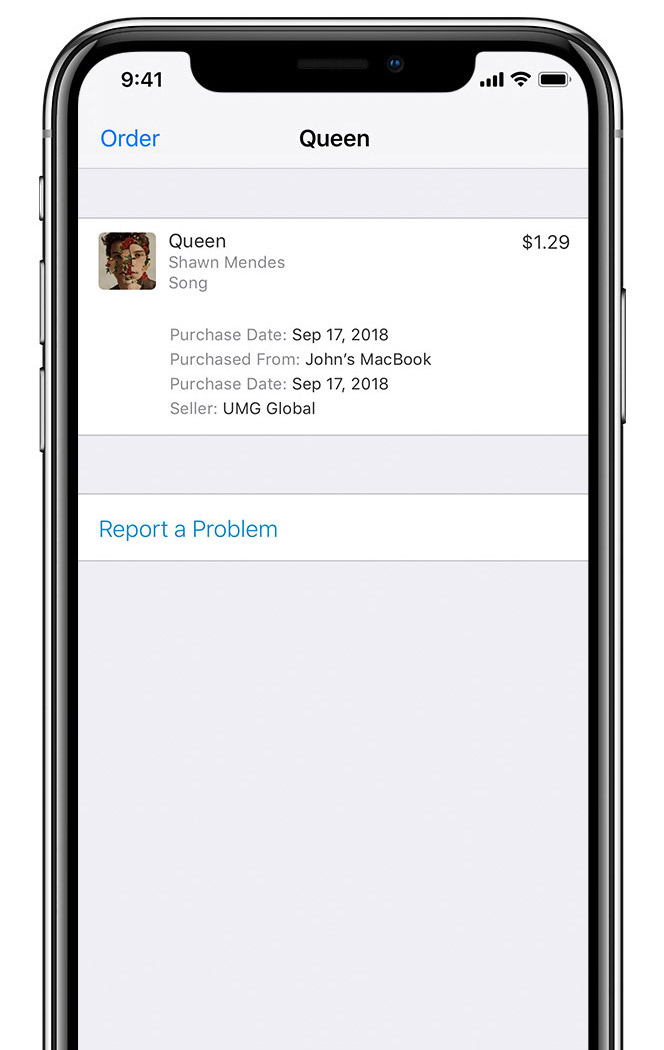
Request a refund for an App Store or iTunes Store purchase
Some recent App Store and iTunes Store purchases might be eligible for a refund if the item doesn't work as expected or can't be used.
You can request a refund on certain App Store or iTunes Store purchases within 90 days of the purchase date through your purchase history. Limitations apply. See the Apple Media Services Terms and Conditionsfor details.
You can't request refunds for recurring charges, but you can cancel a subscription or downgrade your iCloud storage.
To request a refund, visit reportaproblem.apple.com or follow the steps below.
View your purchase history
To open your purchase history, tap or click this link: View your purchase history.
You can see your purchase history in Settings on your iPhone, iPad, iPod touch, or in iTunes on a Mac or PC. You can also go to reportaproblem.apple.com using any web browser.
Learn more about viewing your purchase history in the App Store or iTunes Store.
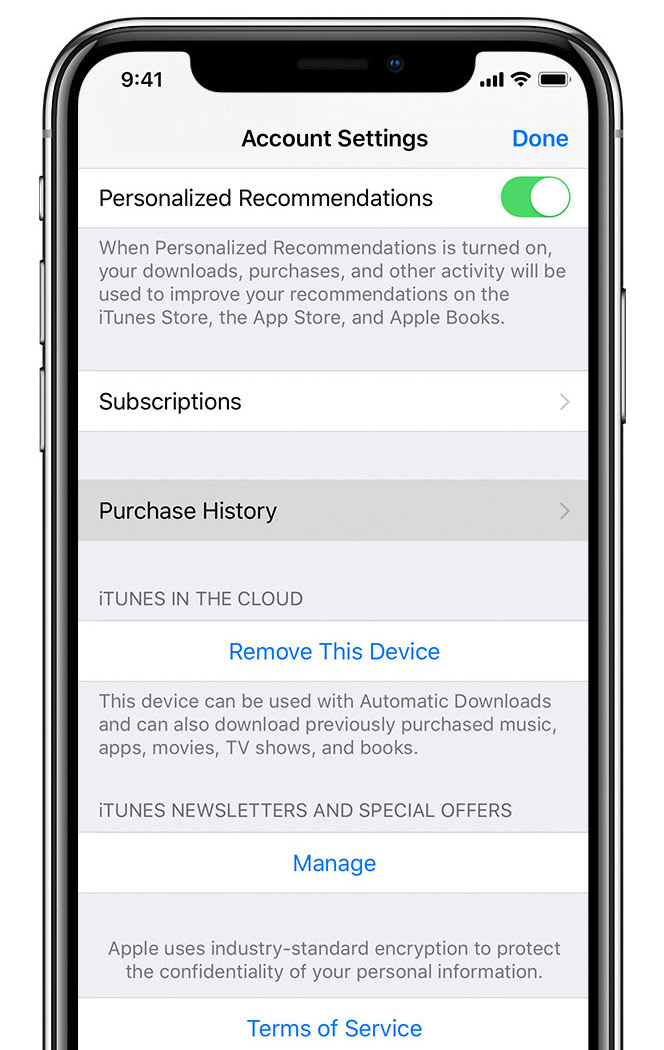 Locate the order in your purchase history
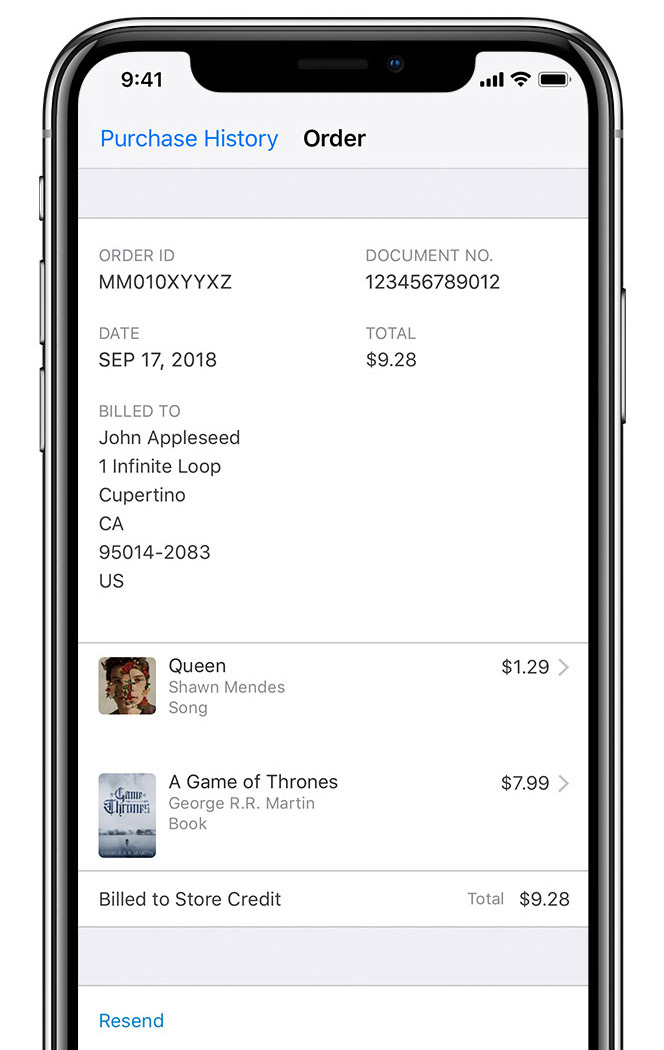
Find the order with the item that you want to request a refund for, then follow the directions for the device that you're using.
On your iPhone, iPad, or iPod touch: Tap Total Billed at the bottom of the order, then tap the specific item.
On your Mac or PC: Click More below the price of the item.
On the Report a Problem website: Find the item on the Purchases tab.
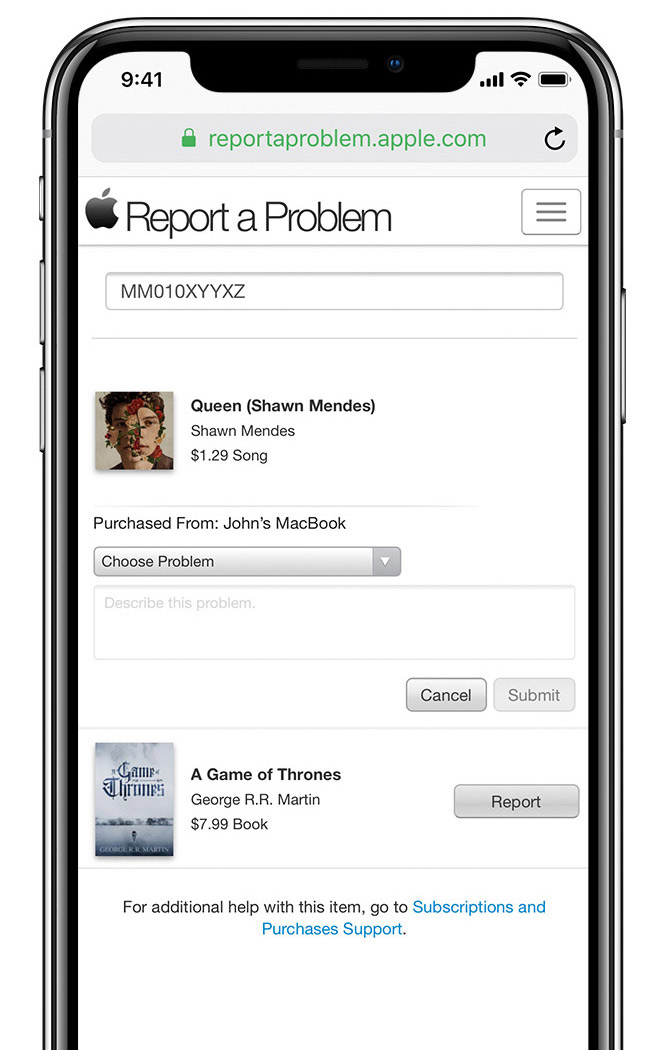
 Report a problem
On your iPhone, iPad, iPod touch, Mac or PC: Tap or click Report a Problem below the item's details. A browser window opens to the Report a Problem website.
On the Report a Problem website: Tap or click Report a Problem to the right of the item.
If you don't see an option to Report a Problem, then the item isn't eligible for a refund request.
Describe your issueChoose a reason for the problem, describe your issue, then tap or click Submit.
Based on the information that you provide, Apple might provide a refund directly, refer you to the developer, require additional information, or might deny the refund request based on refund eligibility.
For more information about refund requests, contact Apple Support.

If you can't find the item
If you can't find an item in your purchase history, learn what to do. Make sure that you're signed in with the same Apple ID that you used to make the purchase. Also make sure that it's not a family member's purchase charged to your payment method.
Some items and purchases older than 90 days aren't eligible for refunds. See the terms and conditions for more information.
If you get an email about a charge to your account that you don't remember authorizing, learn how to identify legitimate App Store or iTunes Store emails.