Imported from the Apple Support Forums via the Wayback Machine 🔗
I can’t figure out how to end my “Lifesum” subscription and if I don’t end it it will pay for another 6month that I will not use. I’ve got a mail from Apple that I need to cancel or else the subscription will continue, but I don’t know how to do it.
Imported from the Apple Support Forums via the Wayback Machine 🔗
On your iPhone, iPad, or iPod touch
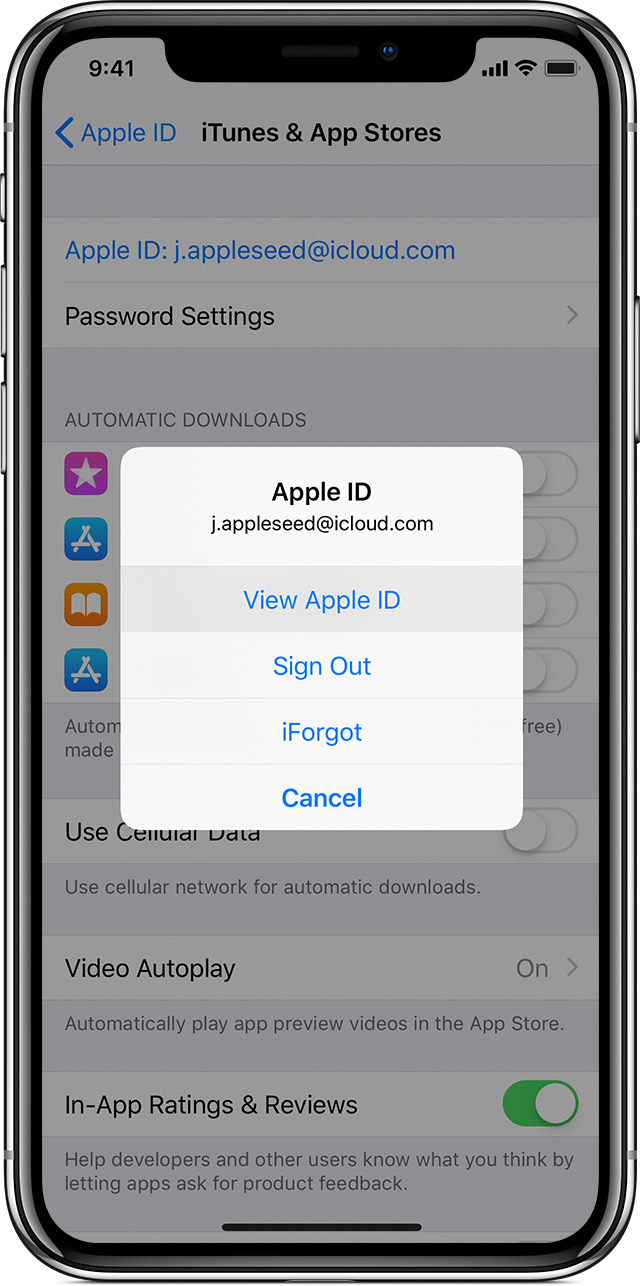
Go to Settings > [your name] > iTunes & App Store.
Tap your Apple ID at the top of the screen, then tap View Apple ID. You might need to sign in with your Apple ID.
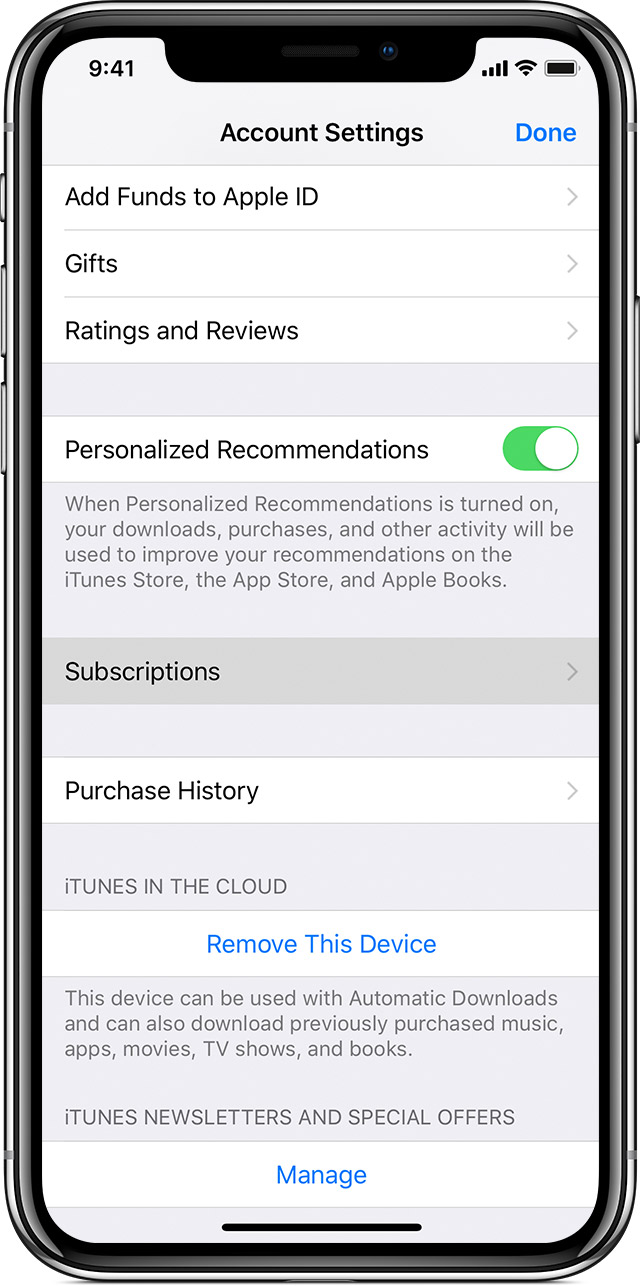
Scroll to Subscriptions, then tap it.
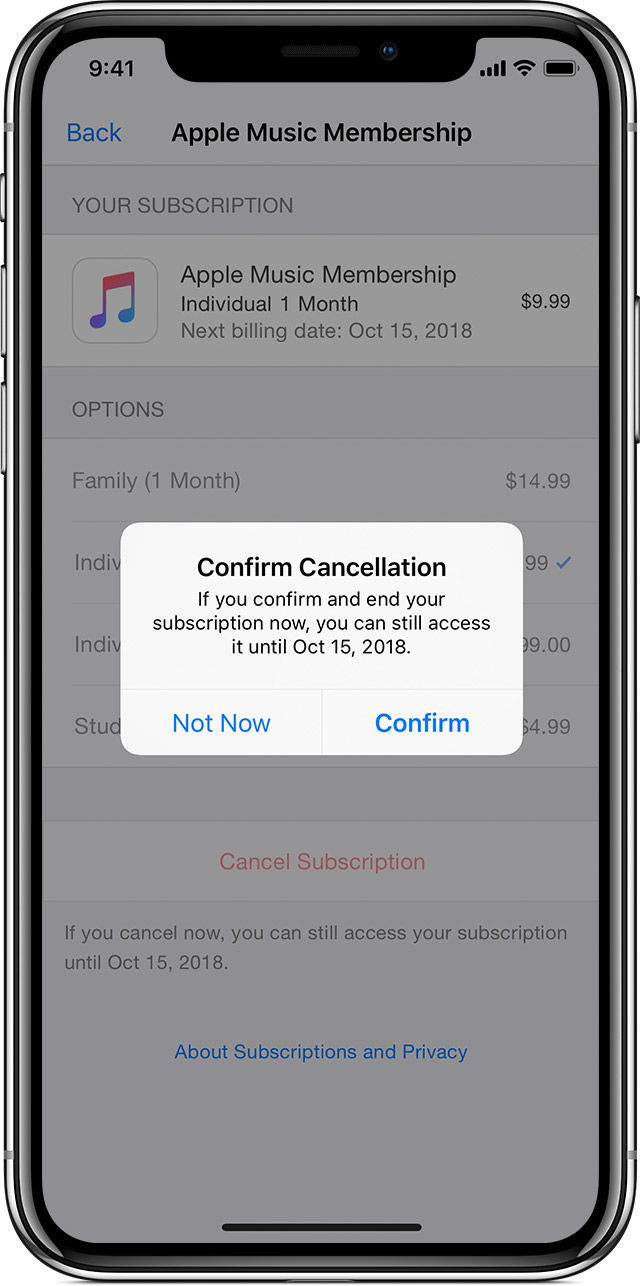
Tap the subscription that you want to manage.
If you're being charged for a subscription, but you don't see it in your list of subscriptions, it might be billed through someone other than Apple. Learn what to do if you still can’t view your subscription.
Use the options to manage your subscription. You can choose a different subscription offering, or tap Cancel Subscription to cancel your subscription. If you cancel, your subscription will stop at the end of the current billing cycle.