Benches Mail, Safari and messaging

4

“Your Adobe Flash player is out of date. …

apple Verified

Imported from the Apple Support Forums via the Wayback Machine 🔗

I've been getting variations of this message lately when using Safari. A Google search show links to the problem but I'm unable to find a solution. I tried using Malwarebytes but it didn't solve the problem. I've also deleted website data, a couple of times, but it keeps returning. The Google search show this problem going back several years. Does anyone have a definitive way to eliminate it?

4 replies

Sign in or join Beachball Help to reply.

  1. 0

    JimmyCMPIT

    Imported from the Apple Support Forums via the Wayback Machine 🔗

    Stop going to sites that offer to install Flash for you

    Adobe.com is the ONLY place to EVER download flash

    https://get.adobe.com/flashplayer/

  2. 0

    desfromchgo

    Imported from the Apple Support Forums via the Wayback Machine 🔗

    No, you misunderstand. This pops up in Safari AUTOMATICALLY.

  3. 0

    Eric Root

    Imported from the Apple Support Forums via the Wayback Machine 🔗

    Safari – Popup takes over

    Safari – Popup takes over (2)

    Popup remover – Scam Zapper

    If the pop-up reloads, force quit Safari (command - option/alt - esc) and reopen with the shift key held down. If that doesn't work, disconnect from the Internet, go to Safari/History and delete the website. Quit and reopen with the shift key held down. Then reconnect to the Internet.

    Safari -Tech support scam pop-ups

  4. 0

    dominic23

    Imported from the Apple Support Forums via the Wayback Machine 🔗

    Possible Adware infection.

    You can remove adware/malware using either  one of these two methods.

    1. Using EtreCheck: https://etrecheck.com/maspro

          Download EtreCheck: https://etrecheck.com/maspro  and post the report here.

          Click, “Free Download” button and then  “Click to download” button,

          open Downloads folder, click on it to open, and then select ”Open”.

          Click on the bouncing  EtreCheck icon in the Dock.

          “Choose a problem” from the popup menu box, and then “Start EtreCheck” in the dialog.

          If you wish, you can post the report here.

          Click “Share Report” button in the toolbar, select “Copy to Clipboard” .

          Paste the report here when you reply.

          Run EtreCheck again.

          Scroll up the sidebar and click the “Security” button.
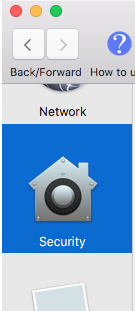
       “Adware” and the “Unsigned” files will be listed on the right hand side pane along with a “Remove” button.

        Click the ”Remove” button wherever you see “adware”.

        Restart your Mac. Launch Safari holding the “Shift” key down.

    2. Using “Malwarebytes for Mac”:

    1.  Use  the latest release of MalwareBytes for Mac to remove malware/adware. 

         Install guide:       https://support.malwarebytes.com/docs/DOC-1817

         Uninstall Guide:  https://support.malwarebytes.com/docs/DOC-1190

         The installer may ask you to allow it in Security & Privacy  /System Preference. Allow it.

         Click the “Scan Now” button. Once done, quit Malwarebytes for Mac.

     2. Uninstall extensions you have not installed knowingly.

         Section: Manage extensions: https://support.apple.com/guide/safari/use-safari-extensions-sfri32508/mac

     3. Restart the computer, relaunch Safari holding the shift key down.
