Benches / macOS
4
Emojis missing from Mojave
apple Verified ·
Imported from the Apple Support Forums via the Wayback Machine 🔗
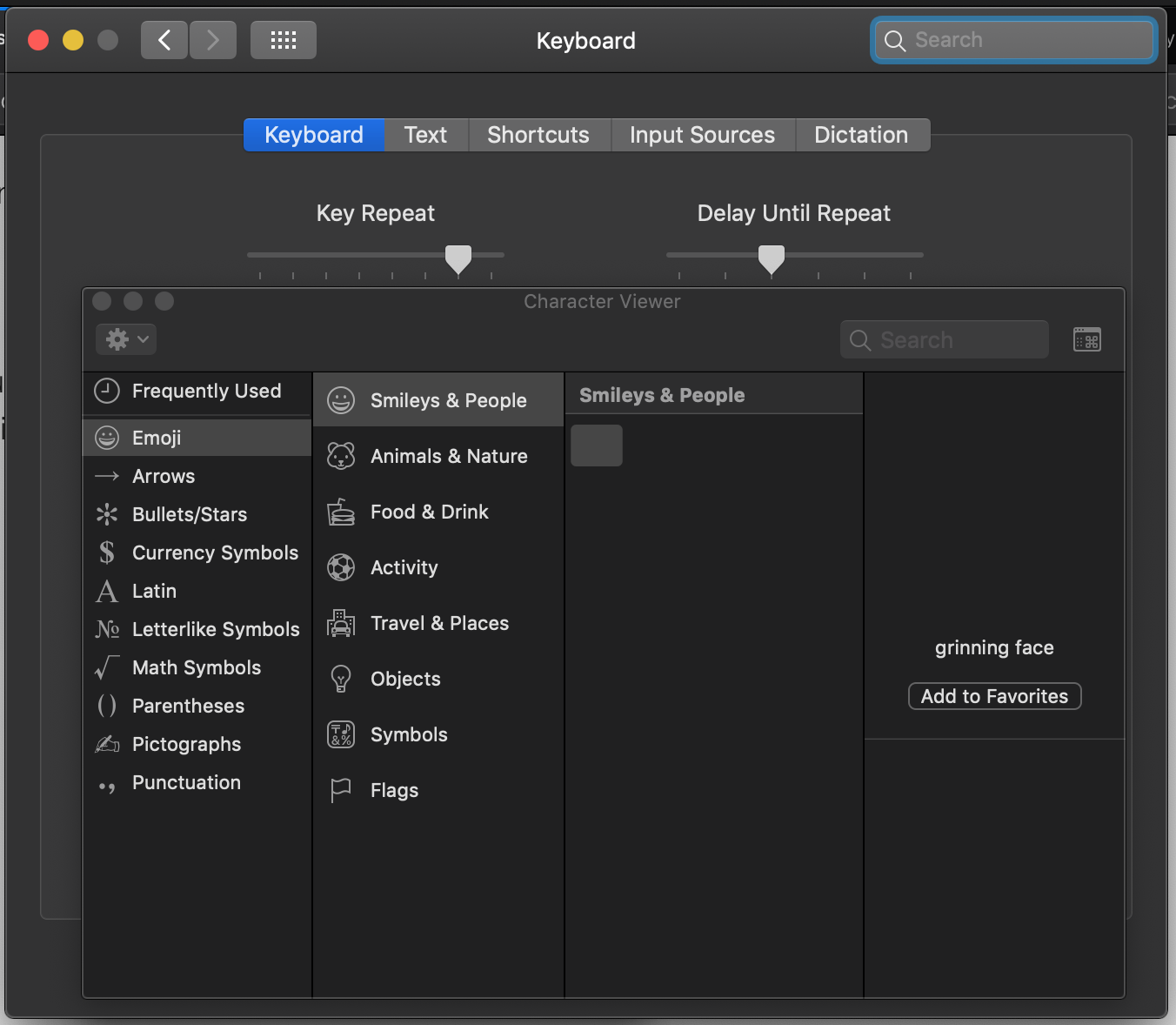
Old topic it seems, with various results in resolution: emojis do not display in the OS.
Whether in Messages, or in the keyboard viewer via the menu bar, they are represented by a blank box. It's like the font is missing.
Messages has "Substitutions--Text Replacement--Emojis" checked.
I restored standard fonts through Font Book.
I started in Safe Mode and had the same issue.
4 replies
Sign in or join Beachball Help to reply.
0
dialabrain ·
Imported from the Apple Support Forums via the Wayback Machine 🔗
Have you tried restarting your Mac? If so, test while logged into a different user account.
0
dialabrain ·
Imported from the Apple Support Forums via the Wayback Machine 🔗
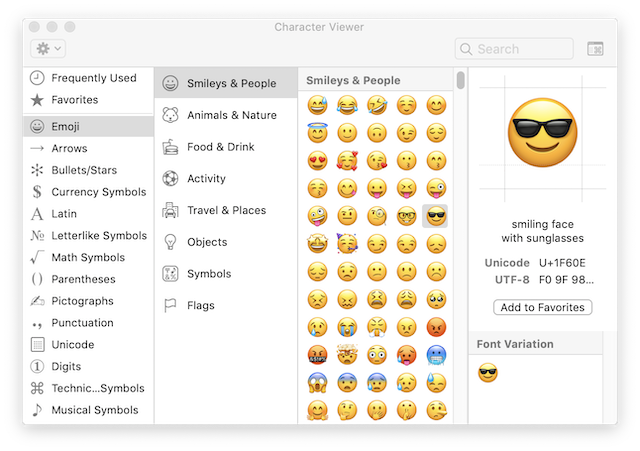
Emojis display just fine in the emoji viewer. 😎
0
2 More Cents ·
Imported from the Apple Support Forums via the Wayback Machine 🔗
Here's what I get.
0
dialabrain ·
Imported from the Apple Support Forums via the Wayback Machine 🔗
I did a Dark Mode version.