6 replies
Sign in or join Beachball Help to reply.
- 0
Hawaiian_Starman ·
Imported from the Apple Support Forums via the Wayback Machine 🔗
Hi Alan
There's no time stamp for history entries in Safari.
Some 3rd party routers maintain an activity log of sites visited.
There also exist 3rd party web monitoring programs to keep track of internet usage activity. .
- 0
iBod ·
Imported from the Apple Support Forums via the Wayback Machine 🔗
Hi,
Safari does actually store the time of the visit, but for some reason, it isn't shown it in the History viewer of Safari itself.
It does require a little bit of work to extract it though.
Firstly, you need to convert the History.plist file into a plain text format, rather than the binary format it saved as by default.
In the terminal, enter the following text and then press return:plutil -convert xml1 /Users/YourUsername/Library/Safari/History.plist
If all goes well, nothing will seem to happen and the cursor will just move to a new line, signalling the conversion was successful. Now open that History.plist file in TextEdit and find the sites you're interested in. Associated with each entry is a 9 digit code for the time.
To decipher that code to a human time, have a read of [this post|http://discussions.apple.com/thread.jspa?messageID=5781580].
Anyway, hope that helps you 🙂
- 0
Hawaiian_Starman ·
Imported from the Apple Support Forums via the Wayback Machine 🔗
To decipher that code to a human time, have a read of this post.
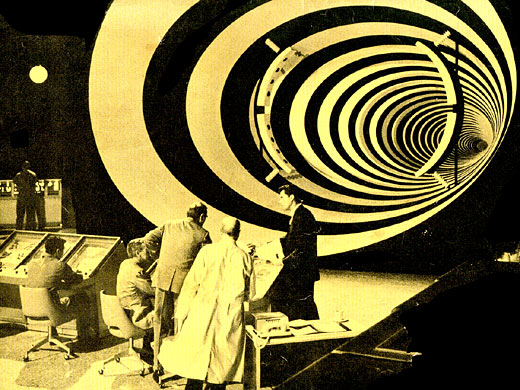
This sounds like a job for Indiana Jones, or perhaps the
Time Traveler, himself. 😉Happy New Year iB!
- 0
iBod ·
Imported from the Apple Support Forums via the Wayback Machine 🔗
:-D
Happy New Year to you and yours, H_S!
- 0
alan ruta ·
Imported from the Apple Support Forums via the Wayback Machine 🔗
Thanks for all the help, suggestions. It wasn't all that important so I'll wait for a rainy day to try the command line stuff.
alan
- 0
Peter Cashman ·
Imported from the Apple Support Forums via the Wayback Machine 🔗
Yes!
If you are using Leopard (10.5.x).
Use Spotlight - making sure that 'Webpages' is checked in Spotlight preferences.
Use site and/or page keywords and Spotlight will return relevant Safari history items with day, date and time.
I discovered this by accident and it beats traditional searching of Safari history items by a mile.
(This is re-post of my reply to a similar query in the Safari 4 (beta) discussion.)