Imported from the Apple Support Forums via the Wayback Machine 🔗
I am not able to see my files stored in iCloud in the files app. It’s been 3 days since I restored to a new iPhone X max and still not showing. How can I resolve this?
Imported from the Apple Support Forums via the Wayback Machine 🔗
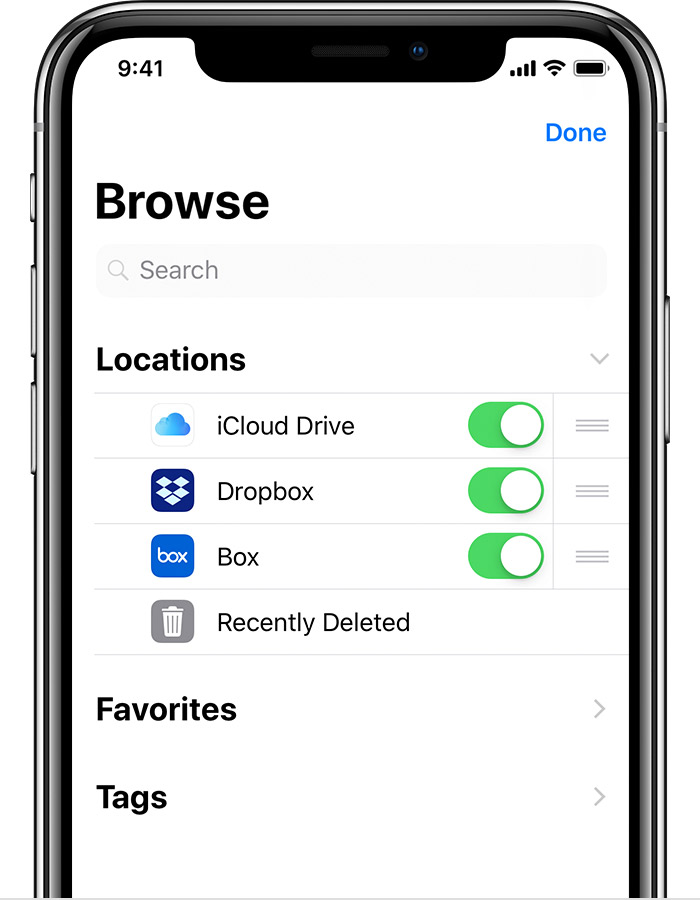
Files App will have iCloud Drive and its content only.
Add third-party apps
The Files app lets you add your third-party cloud services—like Box, Dropbox, OneDrive, Adobe Creative Cloud, Google Drive, and more—so that you can access all of your files on all of your devices. The files you keep in iCloud Drive automatically appear in the Files app, but you need to set up your other cloud services to access them in the Files app too.
Follow these steps on your iPhone, iPad, or iPod touch with iOS 11 or later: