Benches iPhone

1

Numbers on iPhone 6s

apple Verified

Imported from the Apple Support Forums via the Wayback Machine 🔗

How to insert a line in a Numbers spreadsheet on iPhone 6s?

1 reply

Sign in or join Beachball Help to reply.

  1. 0

    SravanKrA

    Imported from the Apple Support Forums via the Wayback Machine 🔗

    Add or remove rows and columns

    • Tap the table, then do any of the following:
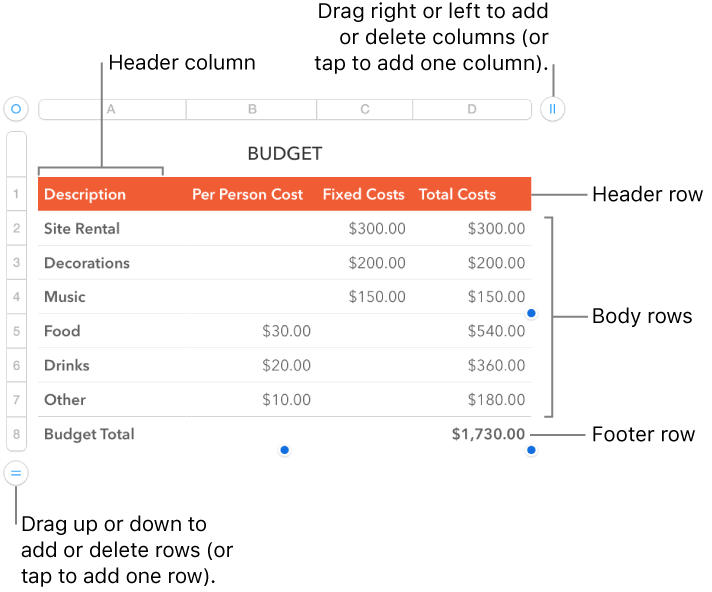
      • Add or delete a row or column at the edge of the table: Tap  in the bottom-left corner of the table to add one row; drag  down or up to add or delete multiple rows. Tap  in the top-right corner of the table to add one column; drag  to add or delete multiple columns. You can delete a row or column only if all of its cells are empty.

      • Insert a row or column within the table: Select an adjacent row or column (tap the row number or column letter), tap  or , then tap a placement option.
      • Insert multiple rows or columns within the table: Select a number of rows or columns equal to the number you want to insert, adjacent to where you want to insert them, tap  or , then tap a placement option.
    • Delete a row or column within the table: Select the row or column, then tap Delete in the contextual menu.