
2 replies
Sign in or join Beachball Help to reply.
- 0
SravanKrA ·
Imported from the Apple Support Forums via the Wayback Machine 🔗
If you can’t send or receive emails on your iPhone, iPad, or iPod touch
If you can’t send or receive emails in the Mail app on your iOS device, learn what to do.
See the GIF below
Before you begin
There are a few things to keep in mind and check:
- iOS backups made in iCloud and iTunes back up your mail settings, but not your emails. If you delete or change your email account settings, previously downloaded emails might be removed from your iOS device.
- Make sure that your device is connected to the Internet. To check your cellular-dataor Wi-Fi connection, go to Safari and open a webpage.
- Check with your email service provider to find out if there's a temporary service outage on their webpage.
Check the Outbox for unsent emails
If you get a message that says your email wasn’t sent, then that email goes to your Outbox. Check your Outbox and try to send the email again:
- In Mail, tap Mailboxes in the upper-left corner.
- Tap Outbox. If you don’t see an Outbox, then your email was sent.
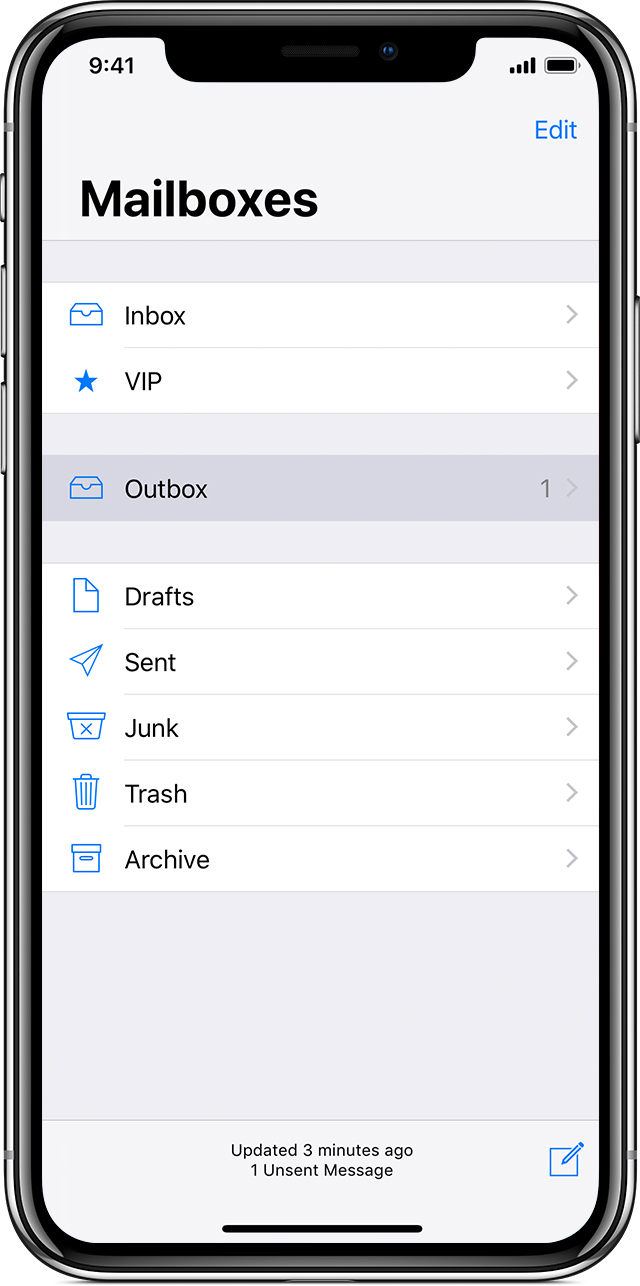
- Tap an email in the Outbox. Make sure that the recipient’s email address is correct.
- Tap Send.
Check your email address and password
If Mail asks you to enter a password for your email account, make sure that your password is correct. To check your email address and password, sign in to your email provider's website.
If you still get a username or password error, contact your email provider or system administrator.
If you can't send or receive emails on your iPhone, iPad, or iPod touch ...
- 0
sergekills ·
Imported from the Apple Support Forums via the Wayback Machine 🔗
Hello.
Have you tried this?
If you can’t send or receive emails on your iPhone, iPad, or iPod touch - Apple Support