
2 replies
Sign in or join Beachball Help to reply.
- 0
SravanKrA ·
Imported from the Apple Support Forums via the Wayback Machine 🔗
Reduce screen motion on your iPhone, iPad, or iPod touch
- Animation and effects in certain apps are disabled. For example, weather animations in the Weather app.
If you notice screen movement on your iPhone, iPad, or iPod touch, you can turn on Reduce Motion.
iOS uses motion effects to create the perception of depth on your Home screen and within apps. If you have sensitivity to motion effects or screen movement on your iPhone, iPad, or iPod touch, you can use Reduce Motion to turn off these effects.
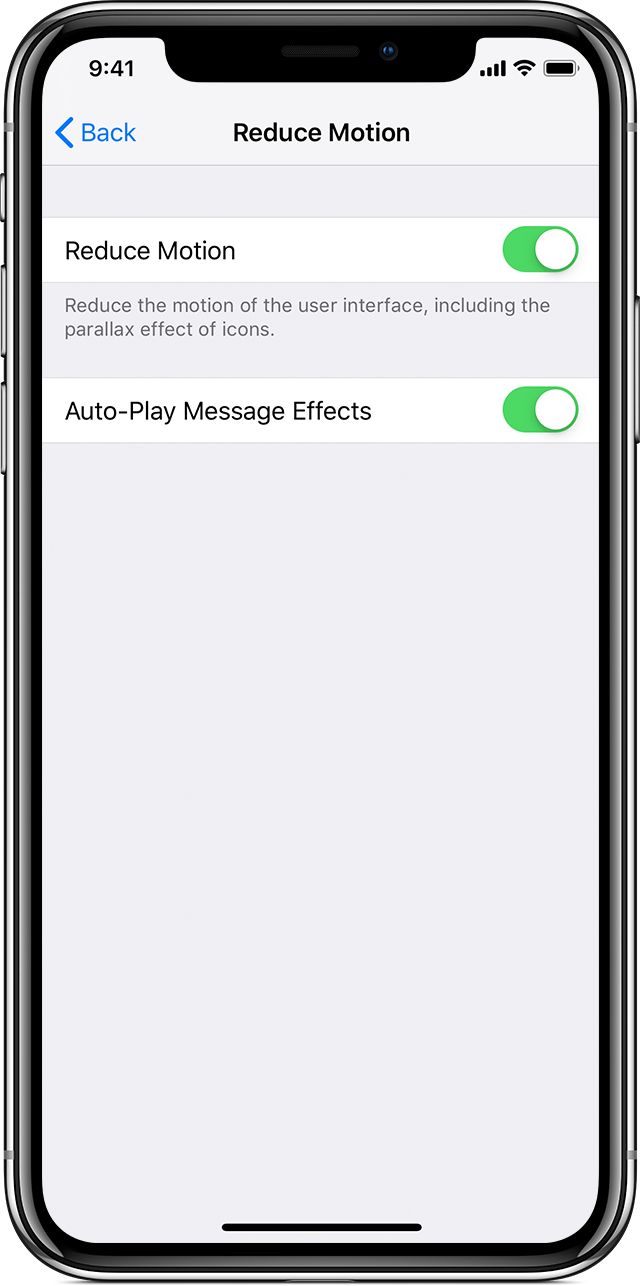
To turn on Reduce Motion, go to Settings > General > Accessibility > Reduce Motion and turn on Reduce Motion.
When Reduce Motion is on, certain screen effects change or are disabled on your device, including:
- Screen transitions and effects use the dissolve effect instead of zoom or slide effects.
- Parallax effect where your wallpaper, apps, and alerts that move or shift slightly as you tilt your device are disabled.
- Animation and effects in certain apps are disabled. For example, weather animations in the Weather app.
When Auto-play Message Effects is on, bubble effects and full-screen effects play automatically. You can turn this feature off and manually play the effect. Just tap
 under the message.
If you have an iPad Pro (10.5-inch) or iPad Pro 12.9-inch (2nd generation), learn how to limit the frame rate of your display.
Reduce screen motion on your iPhone, iPad, or iPod touch - Apple ...
- 0
Bruce Geerdes ·
Imported from the Apple Support Forums via the Wayback Machine 🔗
I've also found that turning on "Display Zoom" also disables the weather animations on my XR. (Go to Settings app, select "Display & Brightness", scroll down to "View" to change.)