
3 replies
Sign in or join Beachball Help to reply.
- 0
d_icon ·
Imported from the Apple Support Forums via the Wayback Machine 🔗
There are several ways but the easiest way would be to use AirDrop if you have AirDrop compatible devices.
Go to your Dock on your computer, select Finder. A new window should open and AirDrop should be listed on the left hand column. Click on it and when you see your phone show up, drag and drop the document you want to share.
Directly from Numbers, you can select Share in the top menu bar / Send a Copy / AirDrop. Choose the format and away it goes!
- 0
SravanKrA ·
Imported from the Apple Support Forums via the Wayback Machine 🔗
You can use AirDrop
Share content with AirDrop
Share content from the Finder:
- Choose Go > AirDrop from the menu bar in the Finder. Or select AirDrop in the sidebar of a Finder window.
- The AirDrop window shows nearby AirDrop users. Just drag one or more documents, photos, or other files to the recipient shown in the window.

Or use the Share feature:
- Open the file that you want to send, then click Share
 within your app. Or Control-click the file in the Finder, then choose Share from the shortcut menu.
- The Share menu lists several sharing options. Choose AirDrop.
- Select a recipient from the AirDrop sheet. After they have accepted and the file has been sent, click Done.
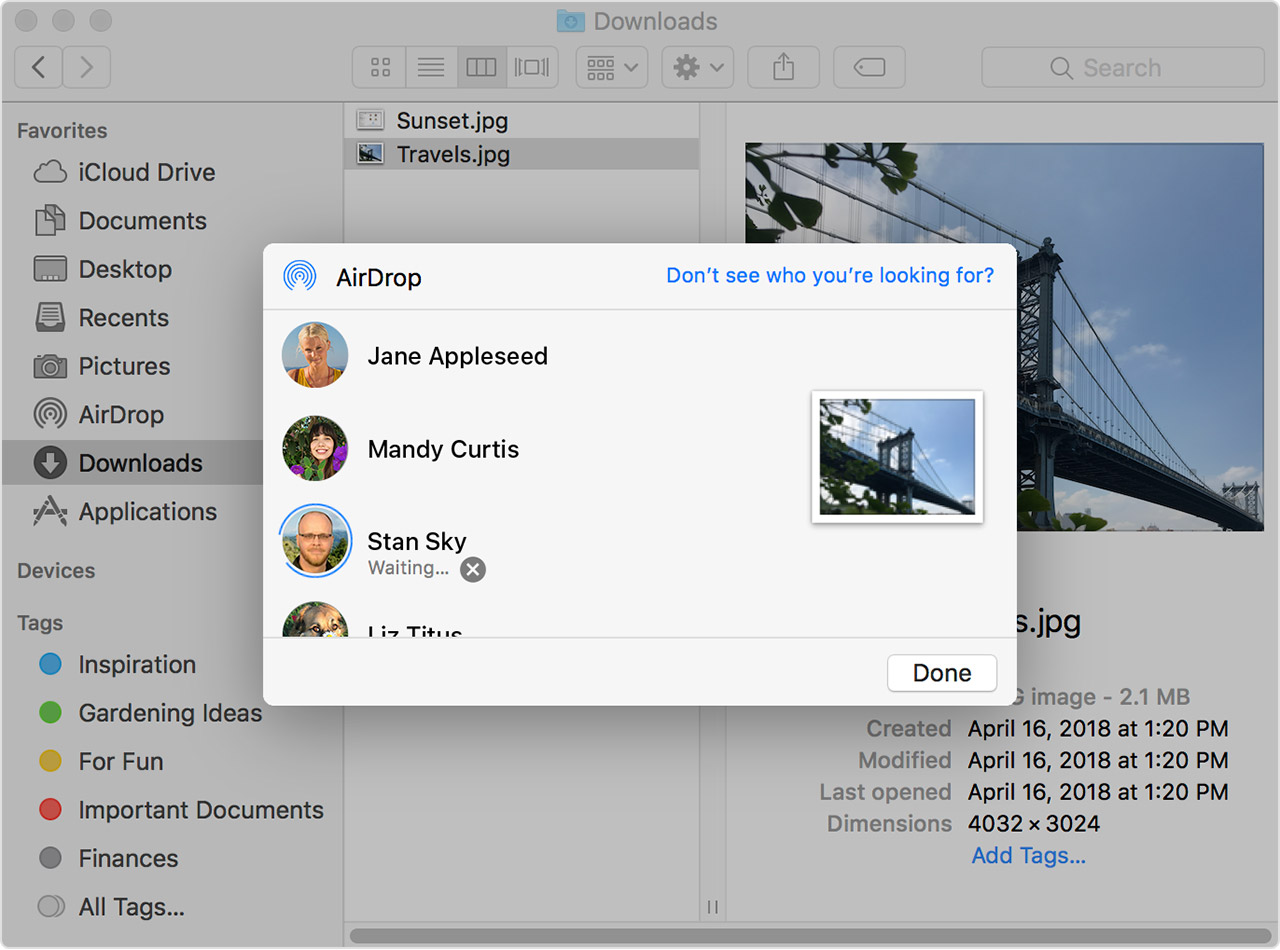
You can also share content from your iPhone, iPad, or iPod touch.

Receive content with AirDrop
When someone else nearby attempts to send you content using AirDrop, you can choose to decline or accept their request. You'll see this request either in the AirDrop window or as a notification:
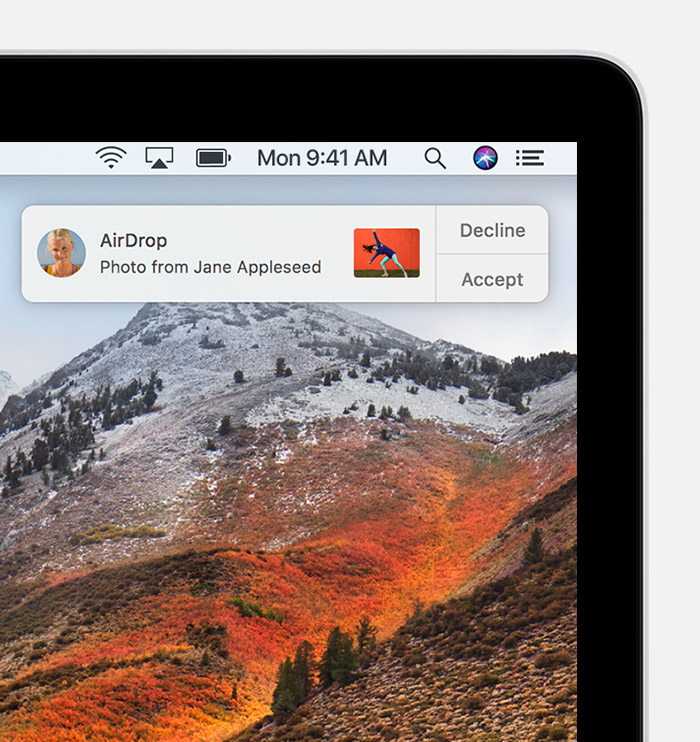
The content you receive on your Mac is saved to your Downloads folder.
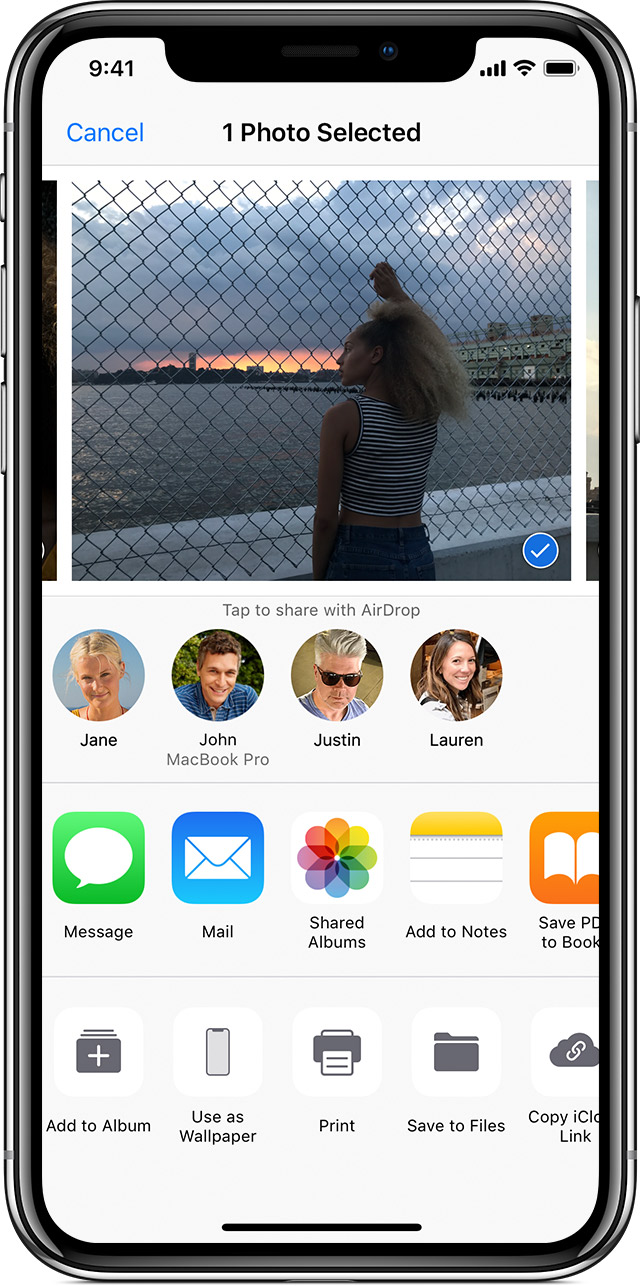
Use AirDrop on your iPhone, iPad, or iPod touch - Apple Support
- 0
Demo ·
Imported from the Apple Support Forums via the Wayback Machine 🔗
You can use iCloud as well.
Add your Desktop and Documents files to iCloud Drive - Apple Support