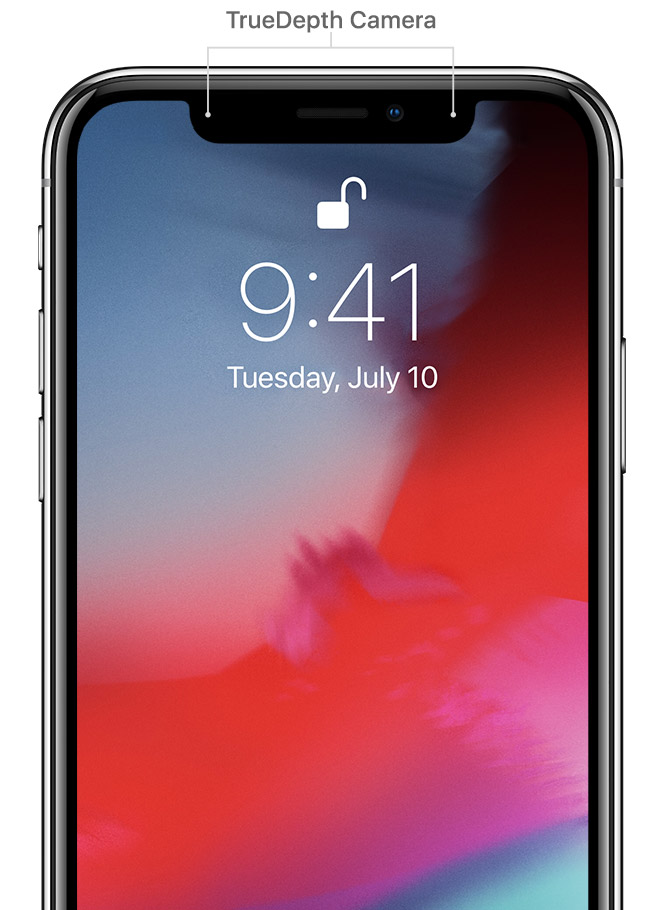
Check that nothing is covering the TrueDepth camera
Make sure that the TrueDepth camera on your iPhone or iPad isn't covered with a case or a screen protector. Also, check if there’s residue or dirt covering the TrueDepth camera.
If you're using an iPad in landscape orientation, make sure that your finger or palm isn't covering the TrueDepth camera. If it is, you might see an alert at the top of the screen that says "Camera covered" with an arrow pointing at the TrueDepth camera.
Make sure that nothing is covering your face
Make sure that your eyes, nose, and mouth are fully visible to the TrueDepth camera.
Face ID works with many sunglasses. If you're wearing sunglasses designed to block certain types of light, then your sunglasses might be blocking the infrared light used by the TrueDepth camera. Try using Face ID without your sunglasses.
If Face ID isn't working on your iPhone or iPad Pro - Apple Support
https://support.apple.com/en-in/HT208114
