Go to Settings > General > Accessibility > 3D Touch and use the slider to select a sensitivity level. On the same screen, you can turn 3D Touch off and on. * These iOS devices support 3D Touch: iPhone 6s, iPhone 7, iPhone 7 Plus, iPhone 8, iPhone 8 Plus, iPhone X, iPhone XS, iPhone XS Max.
Change 3D Touch sensitivity on your iPhone
You can change the amount of pressure you need to activate 3D Touch.
You can adjust the sensitivity of 3D Touch on devices that support it.*
Go to Settings > General > Accessibility > 3D Touch and use the slider to select a sensitivity level. On the same screen, you can turn 3D Touch off and on.
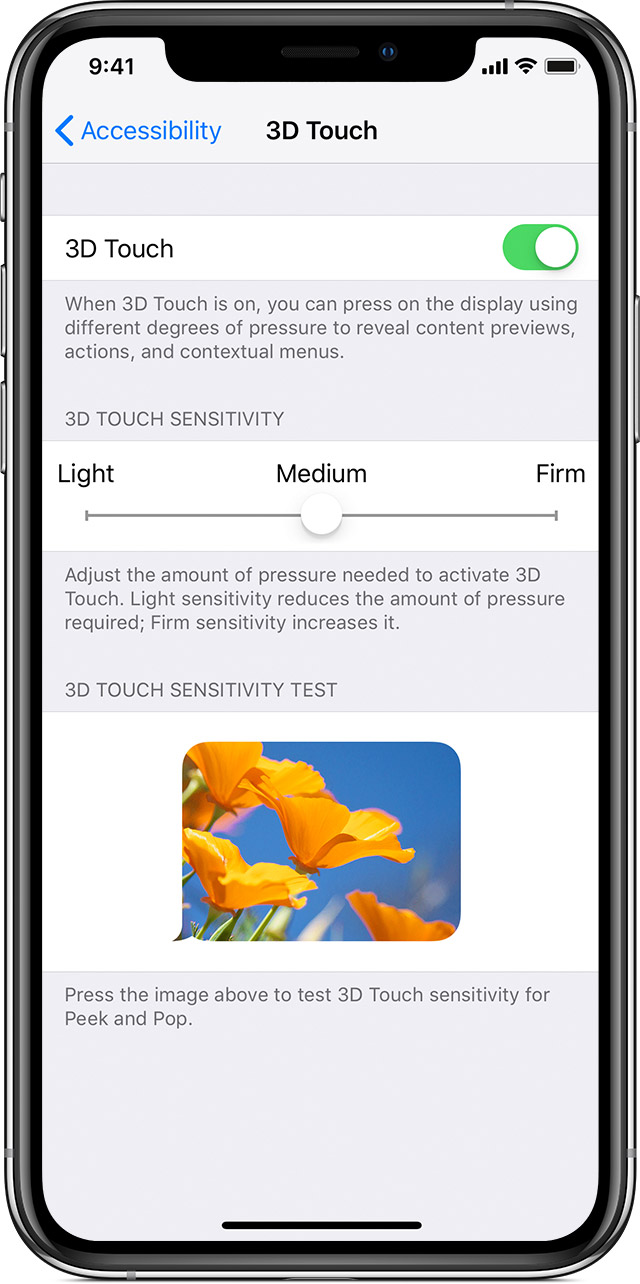
* These iOS devices support 3D Touch: iPhone 6s, iPhone 7, iPhone 7 Plus, iPhone 8, iPhone 8 Plus, iPhone X, iPhone XS, iPhone XS Max.
Change 3D Touch sensitivity on your iPhone - Apple Support
https://support.apple.com/en-in/HT205056
