
2 replies
Sign in or join Beachball Help to reply.
- 0
SravanKrA ·
Imported from the Apple Support Forums via the Wayback Machine 🔗
Cancel or change your subscription
You can cancel or Apple Music or change your subscription on your iPhone, iPad, or iPod touch; your Android device; in iTunes on your Mac or PC; or on your Apple TV.
Your subscription might renew if you don’t cancel more than 24 hours before your renewal date.
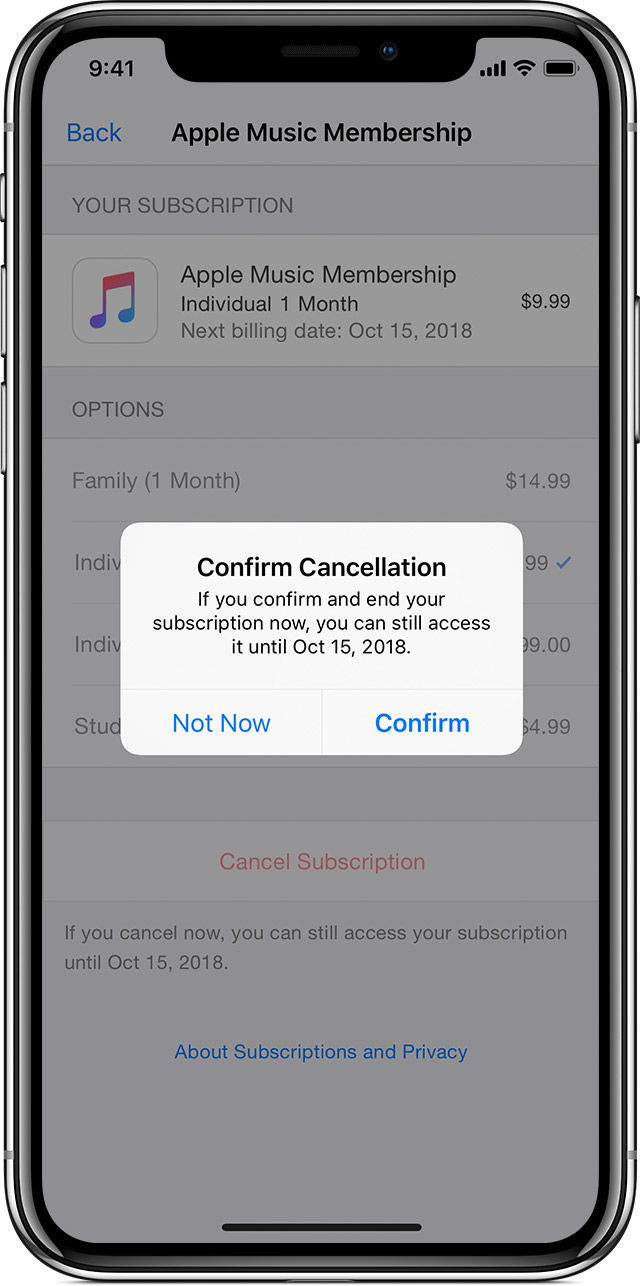
On your iPhone, iPad, or iPod touch
If you're using the iPhone, iPad, or iPod touch on which you signed up for Apple Music, tap this link: View my subscription. Or follow these steps:
- Go to Settings > [your name] > iTunes & App Store.
- Tap your Apple ID at the top of the screen, then tap View Apple ID. You might need to sign in with your Apple ID.
- Scroll to Subscriptions, then tap it.
- Tap your Apple Music subscription.
- If you're being charged for a subscription, but don't see it in your list of subscriptions, make sure that you're signed in with the Apple ID with which you originally subscribed to Apple Music and that you use with Apple Music on your device. Learn what to do if you still can’t view your subscription.
- Use the options to manage your subscription.
- Change: You can change to an Individual subscription billed monthly or annually, change to a Family subscription and then invite your family, or change to a Student subscription and verify your eligibility.
- Cancel: Tap Cancel Subscription, then tap Confirm. Your subscription will stop at the end of the current billing cycle.*
- 0
SravanKrA ·
Imported from the Apple Support Forums via the Wayback Machine 🔗
On your iPhone, iPad, or iPod touch
- Go to Settings > [your name] > iTunes & App Store.
- Tap your Apple ID at the top of the screen, then tap View Apple ID. ...
- Scroll to Subscriptions, then tap it.
- Tap the subscription that you want to manage. ...
- Use the options to manage your subscription.
Jan 7, 2019