Benches iPhone

2

All my photos before September 26 2018 di…

apple Verified

Imported from the Apple Support Forums via the Wayback Machine 🔗

all my photos before September 26 2018 disappeared from my iPhone. They was there this morning but suddenly they were gone. I signed in to iCloud on my Mac and they wasn’t there either. How can I get them back ?

2 replies

Sign in or join Beachball Help to reply.

  1. 0

    SravanKrA

    Imported from the Apple Support Forums via the Wayback Machine 🔗

    If you had backed up recently using your Mac then you get it back.

    Restore your device from an iTunes backup

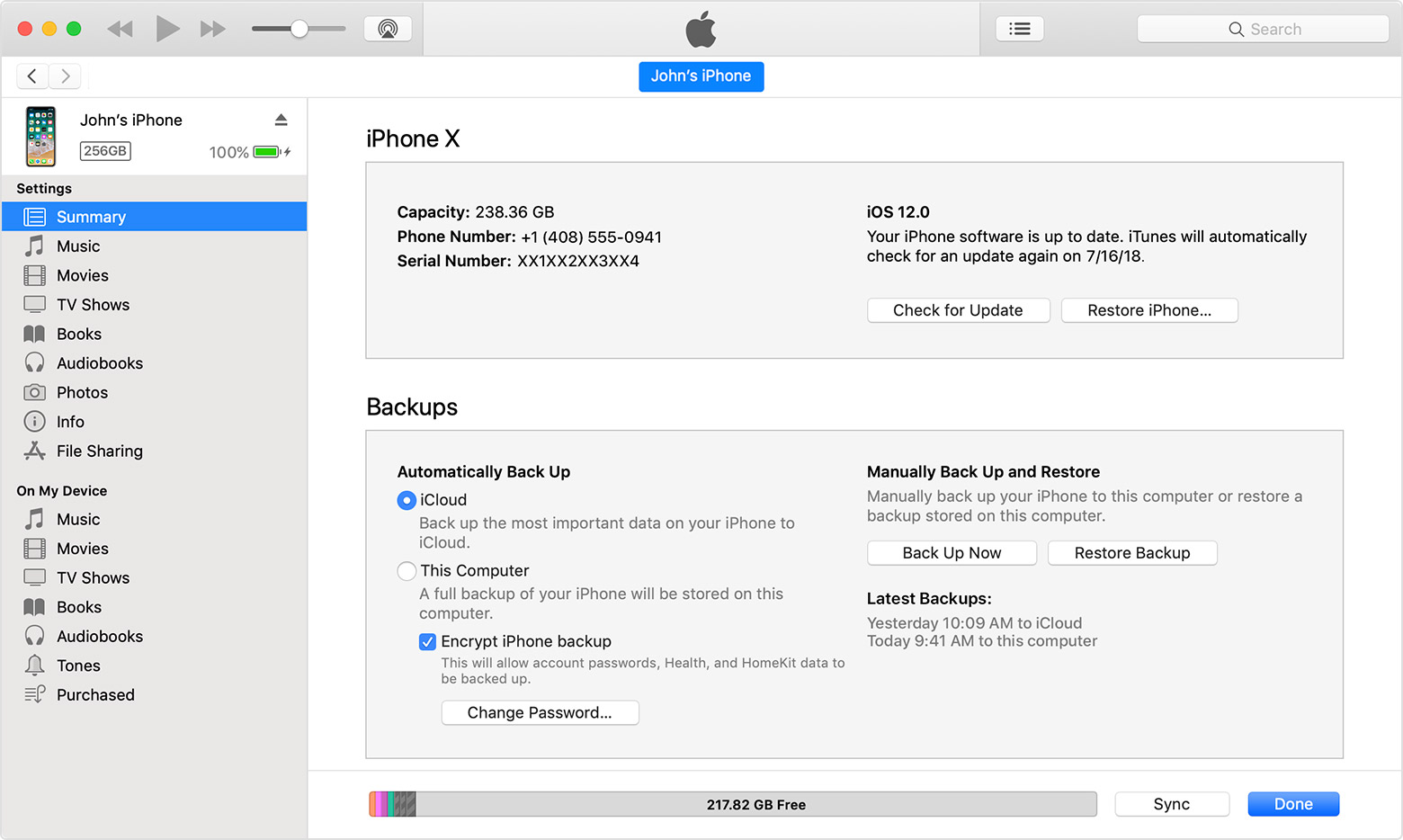
    1. Open iTunes on the Mac or PC that you used to back up your device.
    2. Connect your device to your computer with a USB cable.* If a message asks for your device passcode or to Trust This Computer, follow the onscreen steps. If you forgot your passcode, get help.
    3. Select your iPhone, iPad, or iPod touch when it appears in iTunes. If your device doesn't appear in iTunes, learn what to do.
    4. Select Restore Backup in iTunes. If a message says that your iOS device's software is too old, learn what to do. 
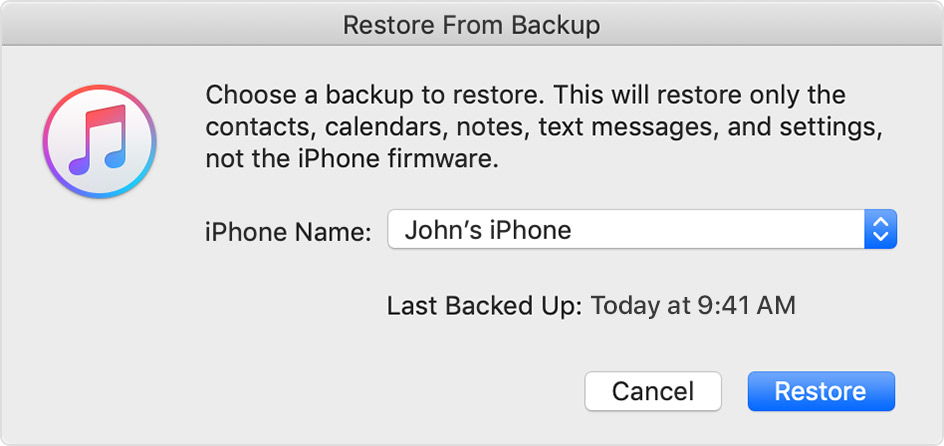
    5. Look at the date and size of each backup and pick the most relevant.
    6. Click Restore and wait for the restore time to finish. If asked, enter the password for your encrypted backup.
    7. Keep your device connected after it restarts and wait for it to sync with your computer. You can disconnect after the sync finishes.
    8. Get help restoring from an iTunes backup.

    Restore your iPhone, iPad, or iPod touch from a backup - Apple Support

    https://support.apple.com/en-in/HT204184

  2. 0

    panchososa694

    Imported from the Apple Support Forums via the Wayback Machine 🔗