Imported from the Apple Support Forums via the Wayback Machine 🔗
Every time there is a new upgrade I loose my personalized ringtones. I have the ringtone in my iPhone's iTune library, but, can't seem to get it into Tone section on my phone.
Imported from the Apple Support Forums via the Wayback Machine 🔗
Hello cmrrn.
Welcome to Apple Support Communities.
If I'm understanding correctly, you are having some trouble adding your custom ringtones to your iPhone since updating the iOS. I will be glad to assist.
Move custom ringtones from iTunes to your iOS device
If you have a custom ringtone or tone in iTunes on your Mac or PC that you want to move to your iOS device, you can manually add it to your device using iTunes.
On your computer, find the ringtone or tone that you want to add to your device. If the ringtone or tone previously appeared in your iTunes library, you can find it in the Tones or Ringtones folders of your iTunes media folder. If you created a ringtone in GarageBand on Mac and then shared it to iTunes, it might be in an Import folder.
Select the tone that you want to add to your device and copy it. (You can use a keyboard shortcut.)
Return to iTunes and go to the Library tab of Music.
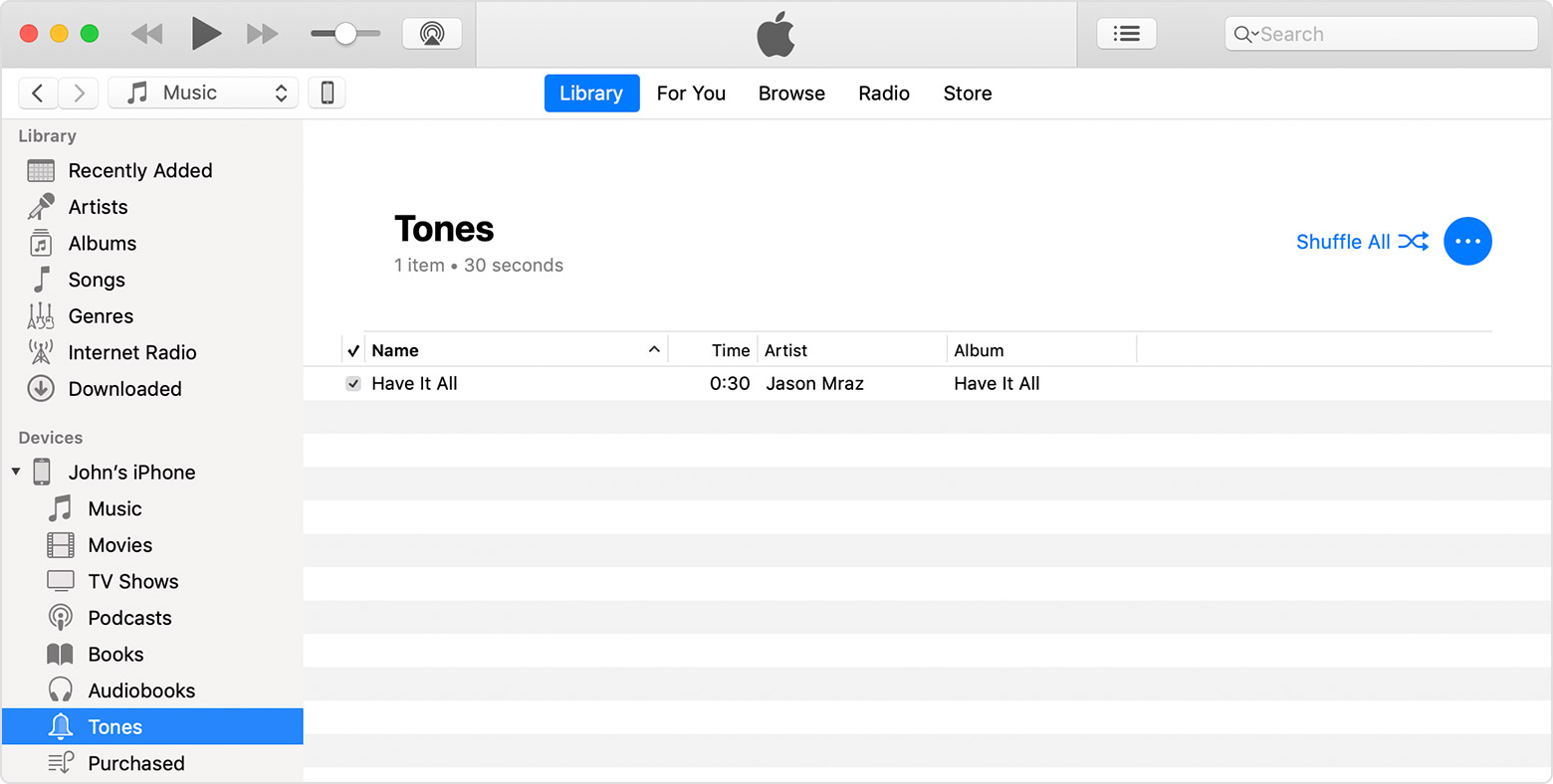
Click your device in the left sidebar, then click Tones.
You can also drag and drop your tone file onto the name of your iOS device in the left sidebar of iTunes.
Cheers.
0
cmrrn·
Imported from the Apple Support Forums via the Wayback Machine 🔗
Thank you. I eventually found out what I was doing wrong. I had the wrong type of file. After I changed the file to .w4r I was able to drop it in the Tone category. However, when I get a call the tone does not sound. I have looked in the settings > sounds & hectics > Ringtone and the correct ringtone is showing, but the phone does not give that ring. Andrea Bocelli is not singing Con Te Partiro (Time To Say Goodbye). Any suggestions accepted. Thank you for your help. BTW I called my cell phone and no sound or announcement of call was heard.