Benches / iPad
5
iPad keyboard: Missing Commas & Perio…
apple Verified ·
Imported from the Apple Support Forums via the Wayback Machine 🔗
I am using US QWERTY.
When holding and typing in 'landscape' the keyboard does not display the missing symbols "," and "." [Screen shot]
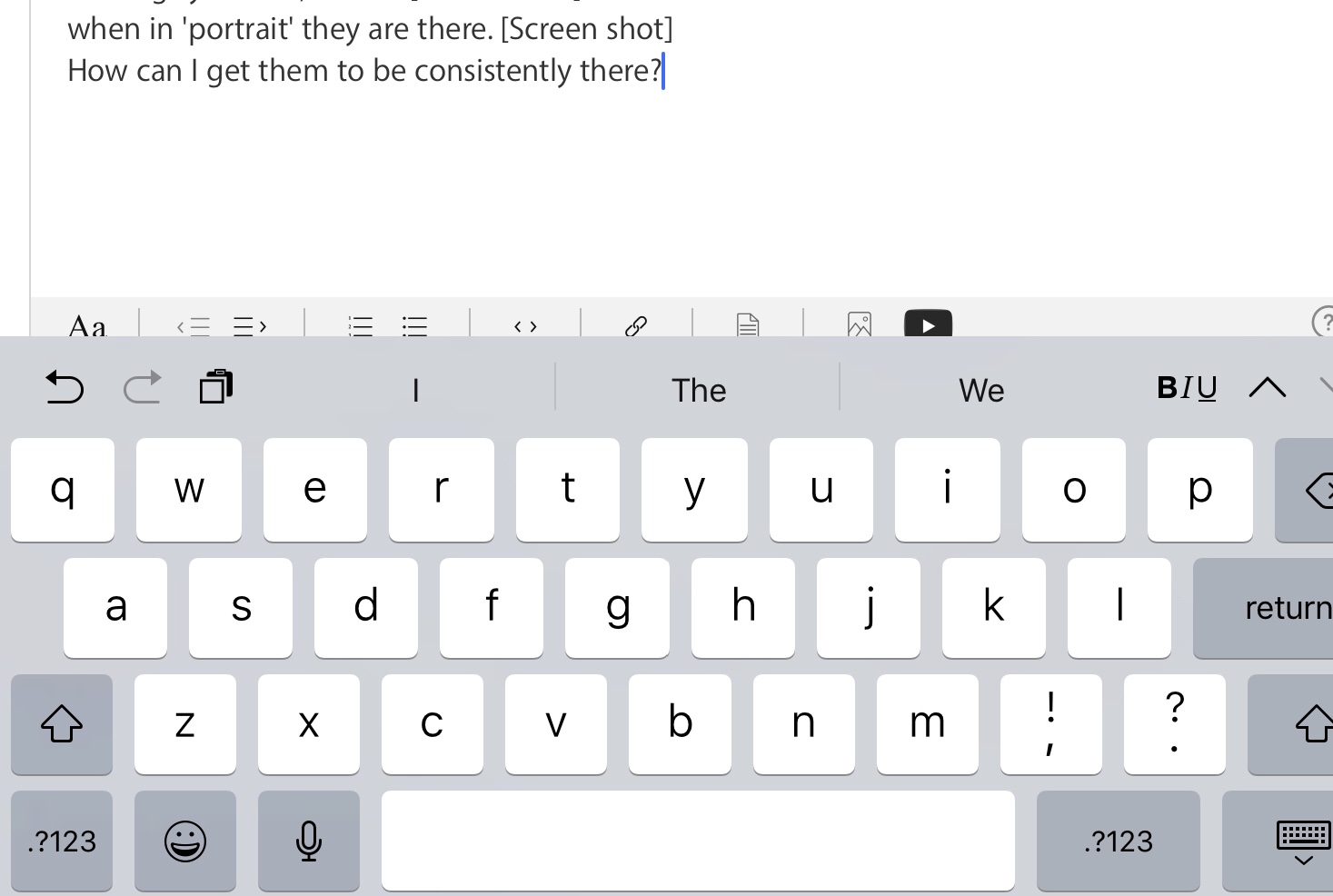
when in 'portrait' they are there. [Screen shot]
How can I get them to be consistently there?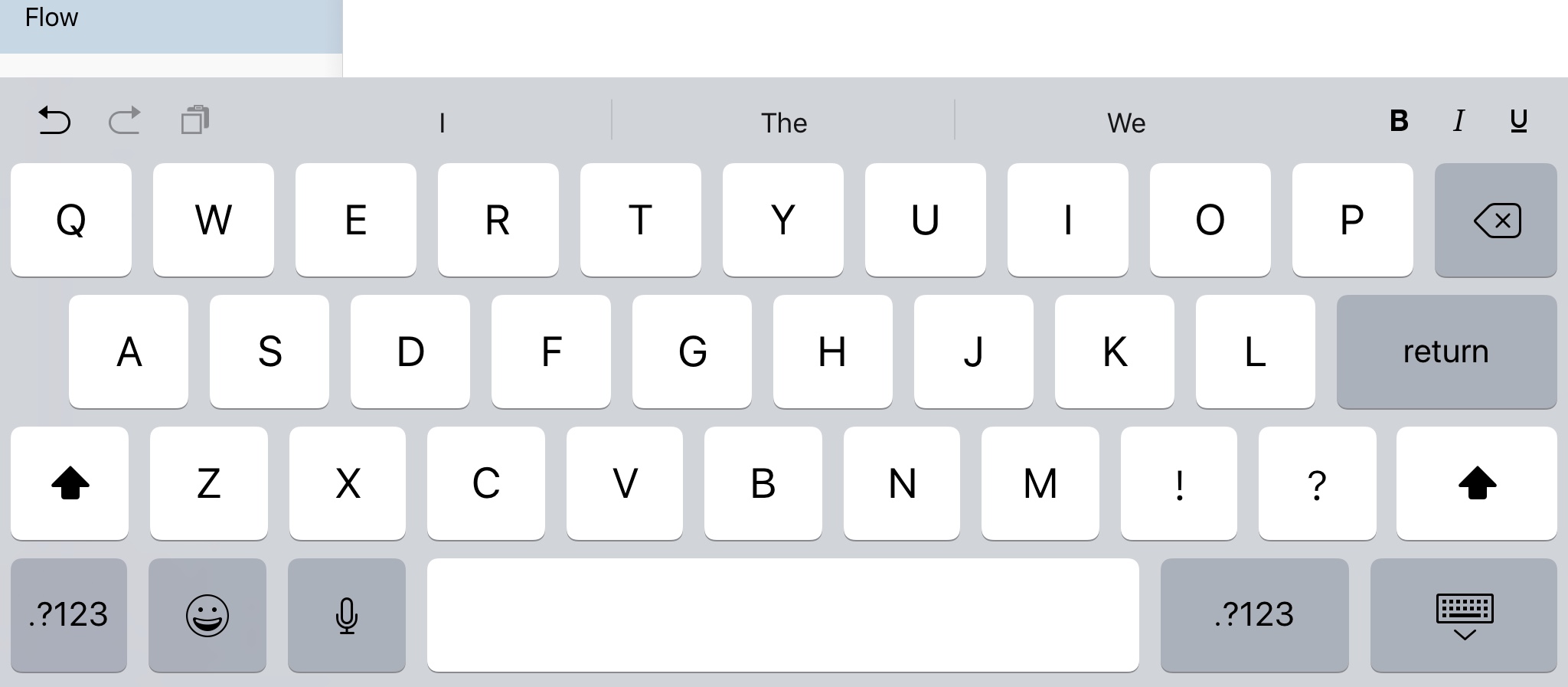
5 replies
Sign in or join Beachball Help to reply.
0
lobsterghost1 ·
Imported from the Apple Support Forums via the Wayback Machine 🔗
In portrait mode, tap the .?123 button and see if they are there.
0
dhhyde ·
Imported from the Apple Support Forums via the Wayback Machine 🔗
They are not there.
I neglected adding those screen shots to the original posting.
They are included in the other keyboard choices; AZERTY and QWERTZ.
0
lobsterghost1 ·
Imported from the Apple Support Forums via the Wayback Machine 🔗
Reboot your iPad and see if that helps. When I tap the .?123 button in either landscape or portrait, the . and , keys are there.
Also go to Settings > General > Keyboard and see if you have all the options turned on there.
0
dhhyde ·
Imported from the Apple Support Forums via the Wayback Machine 🔗
I checked my settings and nothing was unusual.
I shut down and restarted without change.
I did a reboot as suggested (power + home) and that must have triggered something.
Thank you for the suggestion.
0
lobsterghost1 ·
Imported from the Apple Support Forums via the Wayback Machine 🔗
You're welcome. Glad to help.
