
1 reply
Sign in or join Beachball Help to reply.
- 0
seanfromllanelli ·
Imported from the Apple Support Forums via the Wayback Machine 🔗
How to split and move the keyboard on your iPad
You can use a split keyboard on your iPad and move it up or down your screen to help you type.
Split the keyboard
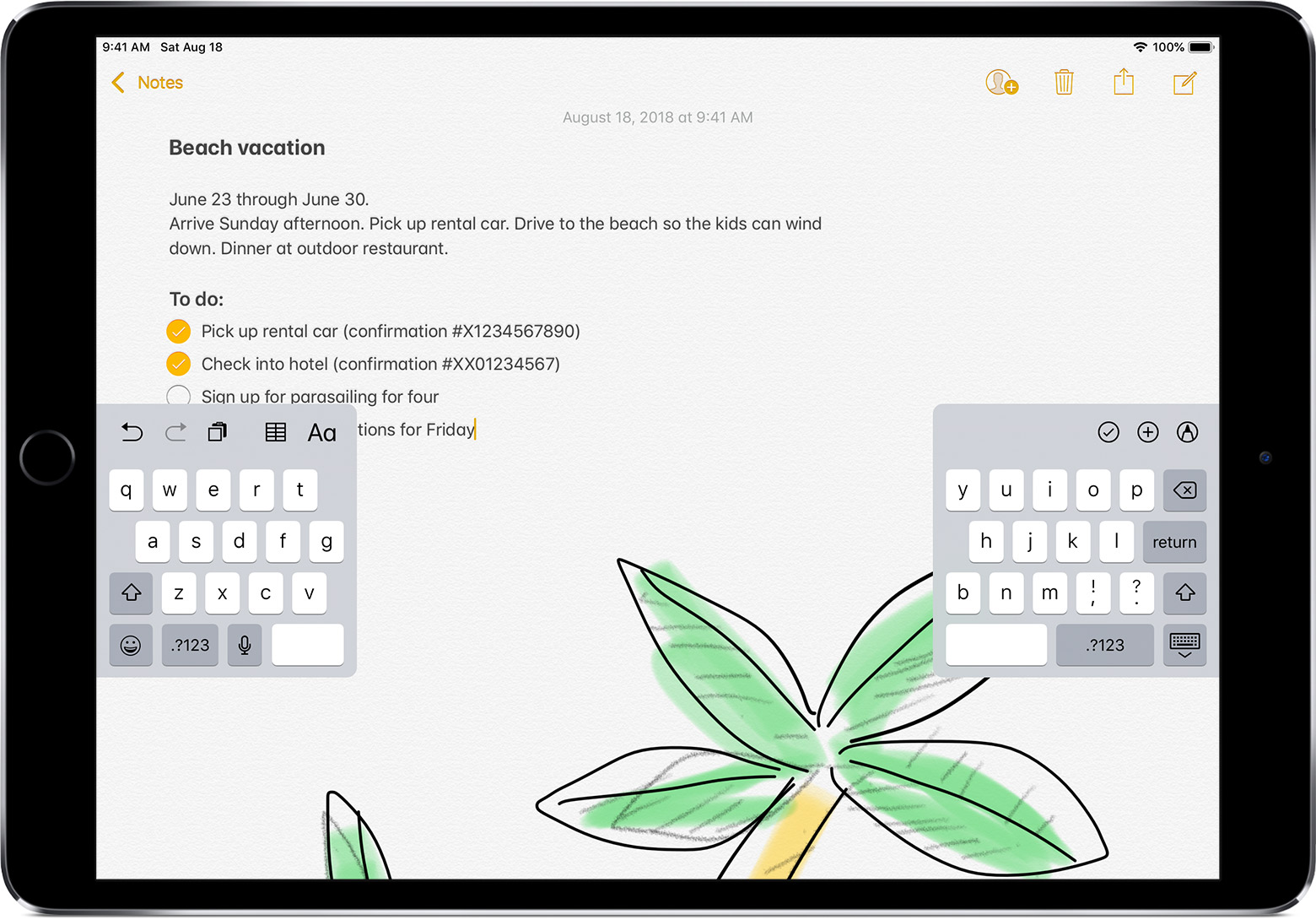
- Open an app and tap a text field.
- Touch and hold
 in the lower-right corner of the keyboard.
- Slide up and tap Split.
The split keyboard isn't available on iPad Pro (12.9-inch) or iPad Pro 11-inch.

Merge a split keyboard
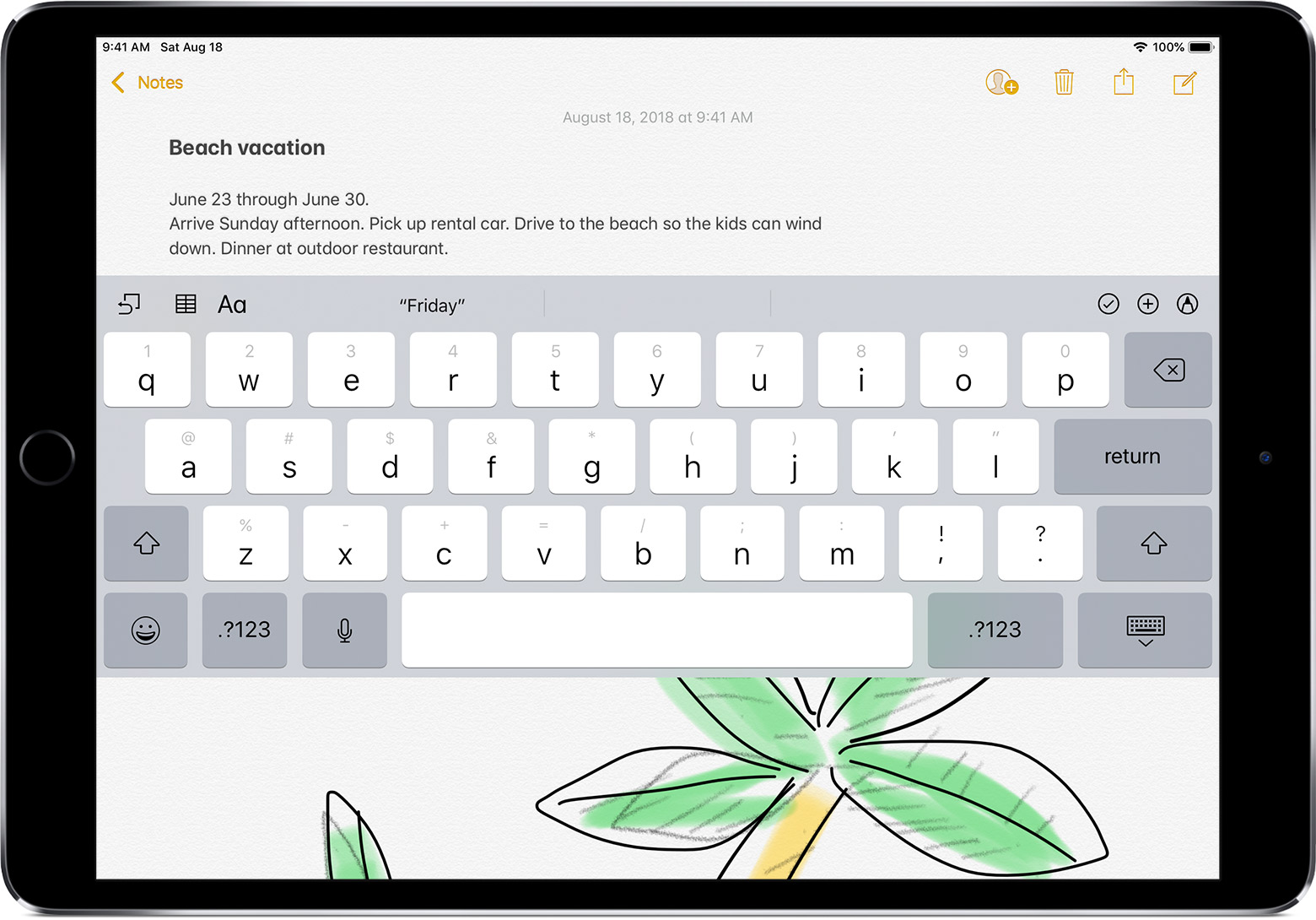
- Tap a text field.
- Touch and hold in the lower-right corner of the keyboard.
- Slide up and tap Merge.
To turn Split Keyboard on or off, go to Settings > General > Keyboard > Split Keyboard.
Move the keyboard
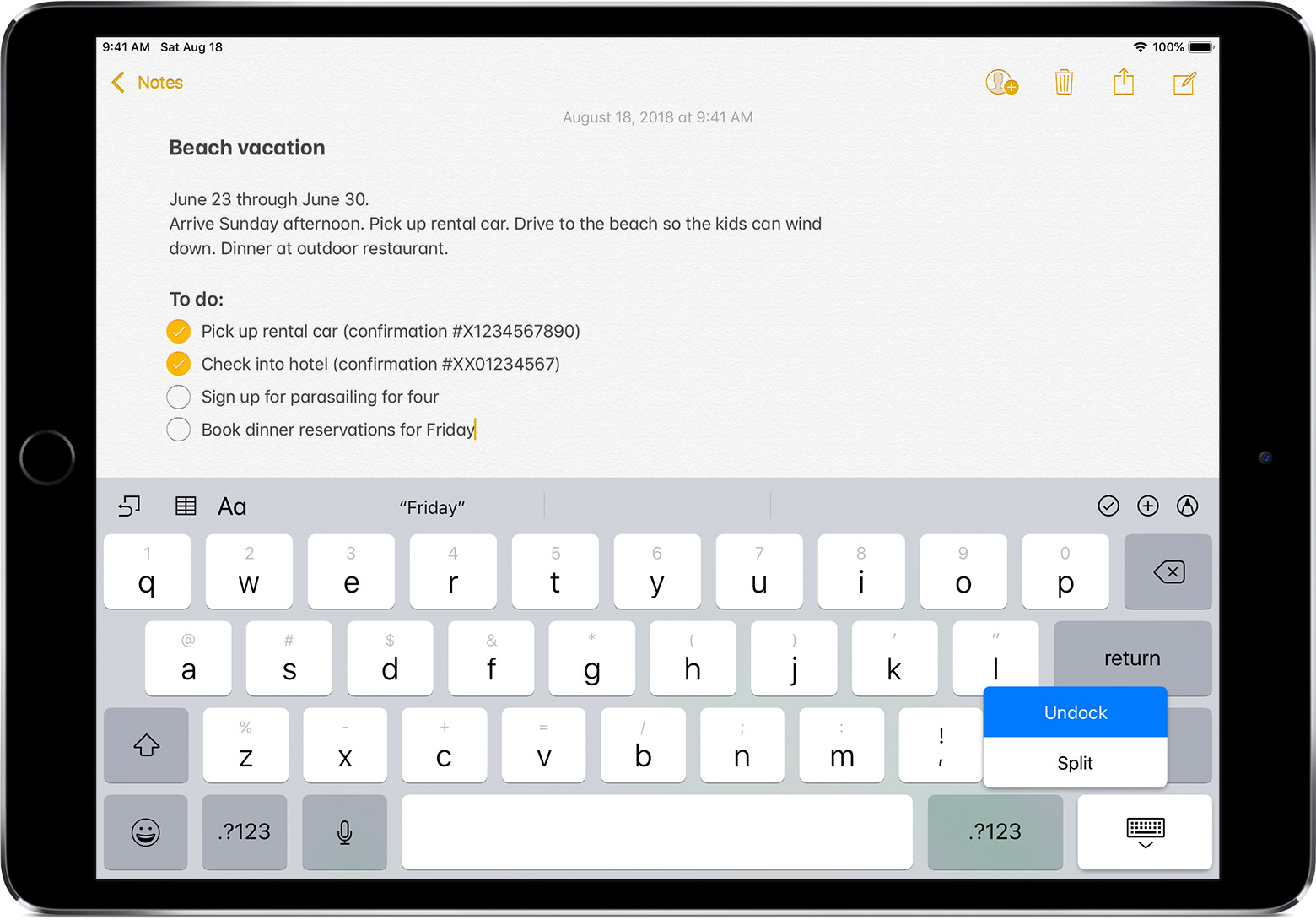
You can Undock the keyboard from the bottom of the screen and move it to a different part of the screen. Here's how:
- Touch and hold .
- Slide up and tap Undock.
- Lightly press and hold , then immediately drag the keyboard up or down the screen.
You can also move a split keyboard up or down the screen. Just lightly press and hold
, then immediately drag the keyboard up or down the screen.To move a full keyboard back to the bottom of the screen, touch and hold
, then slide up and tap Dock.To merge a split keyboard and move it back to the bottom of the screen, touch and hold
, slide up and tap Dock and Merge.